Start with the observation
Record what was found, its category, department, area and risk level. Add the required improvement and an immediate containment response where appropriate.

Bring observations, corrective actions and improvement work into one shared register. Give people a clear owner, a meaningful deadline and a record of what happened next.
Explore your seven-day trial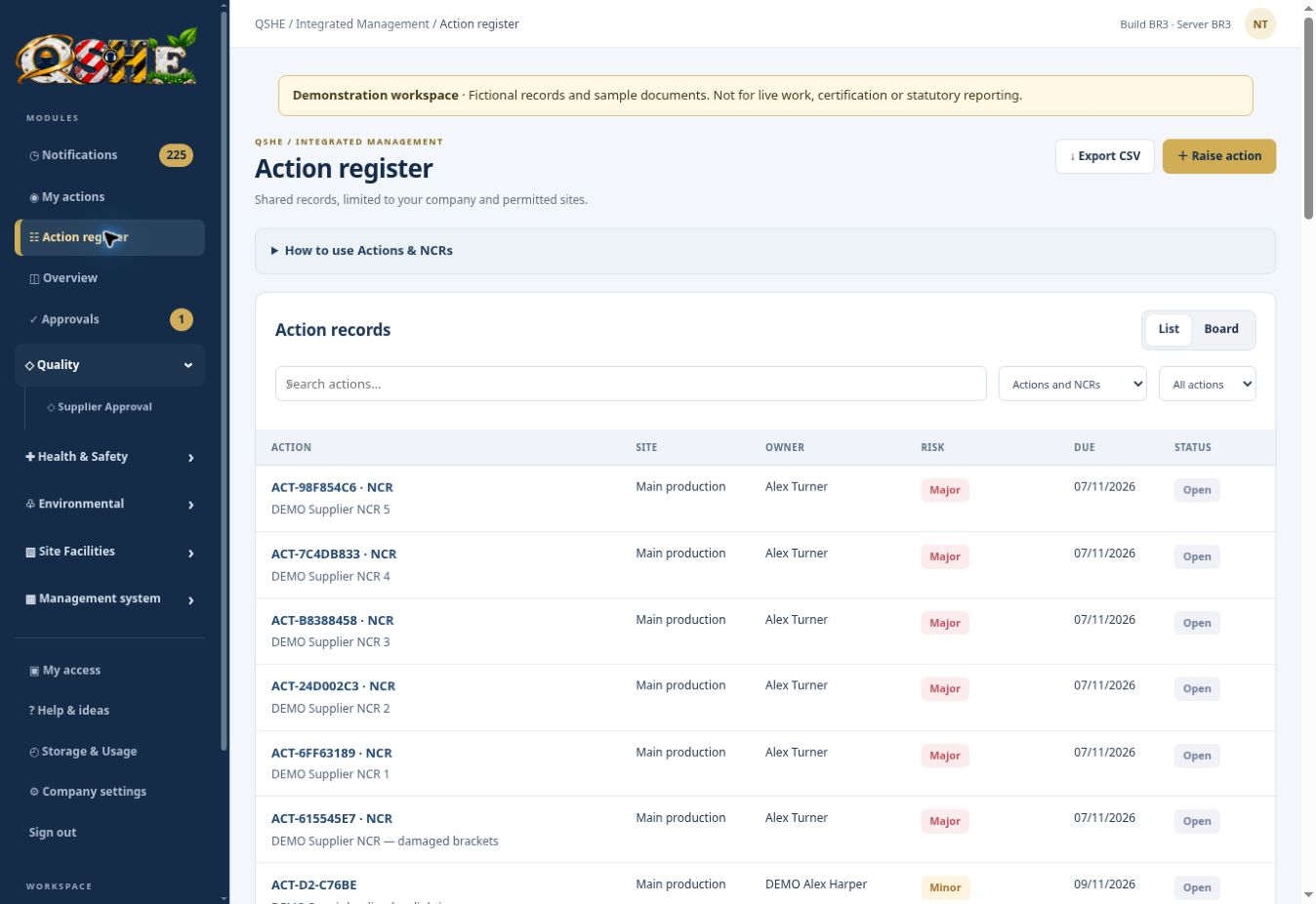
An action raised in an inspection is only useful if someone follows it through. When updates sit across spreadsheets, inboxes and meeting notes, the person responsible can lose sight of the original issue. QSHE brings the observation, required improvement, ownership and supporting evidence together, so managers and QSHE teams can review progress in context.
Record what was found, its category, department, area and risk level. Add the required improvement and an immediate containment response where appropriate.
Assign an action to a responsible person. Keep open, overdue and closed work visible in one register rather than relying on separate email reminders.
Critical, major, minor and recommendation actions use different due-date rules. Project work can use a chosen date. Changes to due dates follow an approval process.
Use supporting photos or files alongside root cause, action taken and validation details. A closed record can retain the story behind the decision.
Actions can support follow-up from inspections, incidents, audits and supplier non-conformances. Keeping these activities in the same platform helps a team discuss the original issue and the resulting work together.
See every QSHE module →A supervisor records a missing guard found during a workplace inspection.
The record identifies an owner, risk level and required completion date.
The owner records containment, corrective work and supporting evidence.
The team checks the outcome and records validation before treating the issue as resolved.
Explore the workflow with fictional example records before introducing your own live arrangements.
Yes. The action register can support quality, safety, environmental and improvement work. Use the categories and site structure to make the context clear.
Risk levels drive the standard deadlines, while project actions can use a manual date. Due-date changes use an approval workflow so that extensions are visible rather than silently changing the record.
No. People still need to assess the issue, choose suitable controls and verify the outcome. QSHE helps retain the ownership, evidence and review record.
£99 per month or £999 per year for the company and first site. Additional sites: £20 per month or £199 per year. Includes 10 GB shared company storage. Paid subscriptions have a 12-month term; choose monthly or annual billing.
The seven-day trial uses fictional example data and starts when the workspace is ready. Applications may need an eligibility review. No automatic billing.
See training requirements and recorded completion together. Give managers a practical view of who needs what, which records are current and where follow-up is needed.
QSHE SOFTWAREKeep contractor company information, worker details and supporting documents in one place. Give your team a clearer basis for reviewing who is attending and what has been supplied.
QSHE SOFTWAREKeep the non-conformance, supplier response and internal review in one connected workflow. Reduce the need to reconstruct the history from separate email conversations.